
OnCallSitter
Creating a babysitting mobile app
Role - UX/UI Designer, Researcher
Tools - Figma, Whimsical
Duration - 8 weeks

Project Background
Mr. Smith is a businessman and a single dad of three kids. Mr. Smith has to spend a lot of time at work taking his time away from his family. After different situations when Mr. Smith had to find a nanny urgently, he decided to invest in a new babysitting app – OnCallSitter
Problem
Apps for parents, babysitting apps, and childcare apps mainly refer to the family/parenting categories, don’t show much popularity over app markets. There are nearly 181 applications in the market, at least Google Play, but less than 50K downloads on their applications. The main problem with the babysitting app is that it is hard for parents to trust a babysitter that they found online through a mobile application.
Project Goals
Create end to end application (parents panel) that parents can use to find a trustworthy babysitter
Implement security features
Test and create task flows for a better user experience through the application
EMPATHIZE
Research Goals:
I wanted to learn what factors affect parents' decisions to hire a babysitter, how they prefer to do it, and what qualities they are looking for from a sitter
Research Methods:
Secondary Research. To gather and analyze data regarding babysitting app
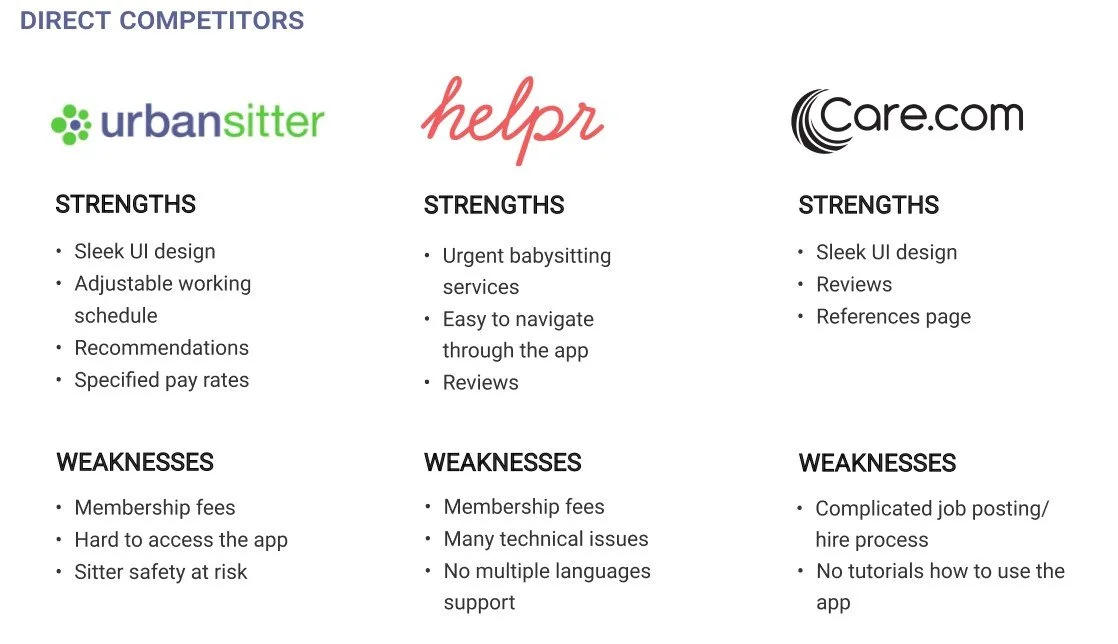
Competitive Analysis. Analyze the three most significant competitors on the market, their strengths, and weaknesses
1:1 In-person Interviews. To gain insights into how parents go through the process of looking for a babysitter
Secondary research. I analyzed the following competitors for the secondary research: Urbansitter, Helpr, Care.com
What to focus on: availability, online payments, user friendly, verification of references and certifications
Competitive Analysis

Interview Participants. I interviewed 5 participants, between 25 and 43 years old, for the research. The goal was to determine how and where participants were looking for babysitting services.
According to the research, 60% of parents are working from home, and they are looking for a couple of hours (per week) of help that a babysitter can provide. The research showed that participants usually look for 1 to 5 hours per week to use babysitter services. Participants are looking for babysitting services, preferably provided in the evening time. If participants have an urgent situation, they prefer to seek help from friends and family. The research also showed that additional services could be: dinner for children and additional cleaning in the house.
The most common pain points while looking for a babysitter:
Hard to reach out to the sitter
The sitter didn't show up and never called back
Hard to find a sitter urgently
Research showed that it is important to focus on:
ID/education verification
References
Urgent babysitting services
Reviews, feedback, and rating
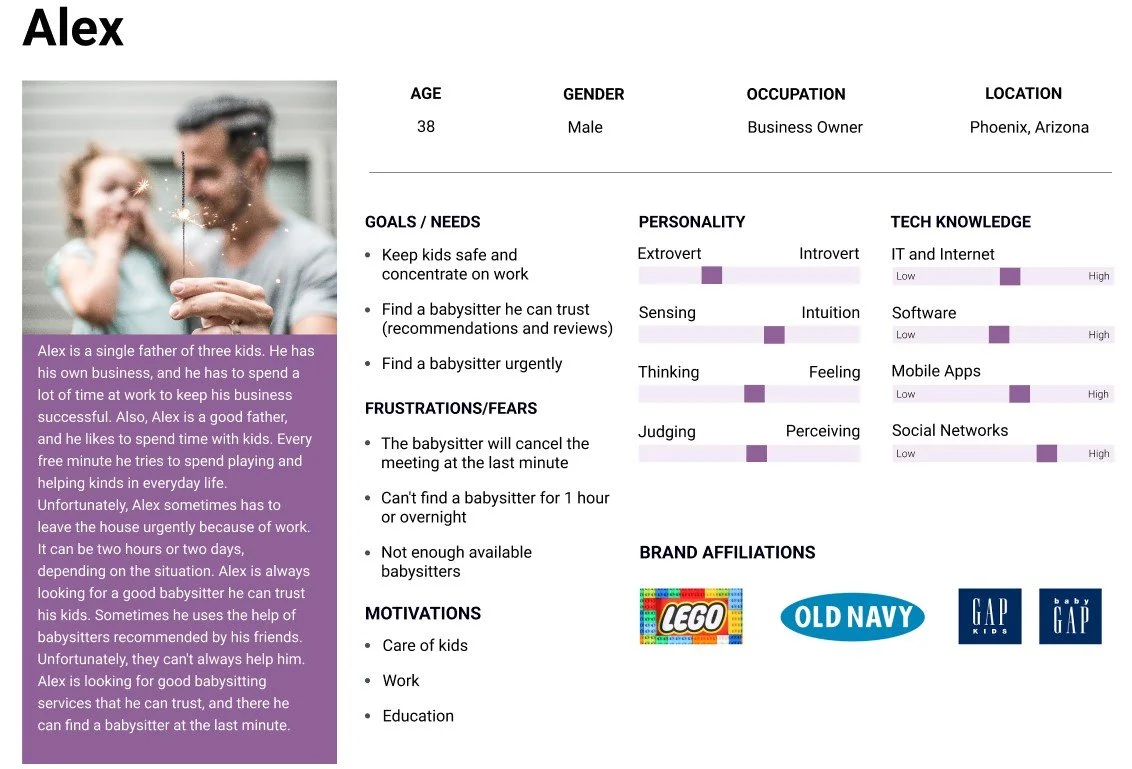
User Persona. Based on my research, I created a user persona - Alex. Alex represents parents' goals and fears while looking for a babysitter.

DEFINE
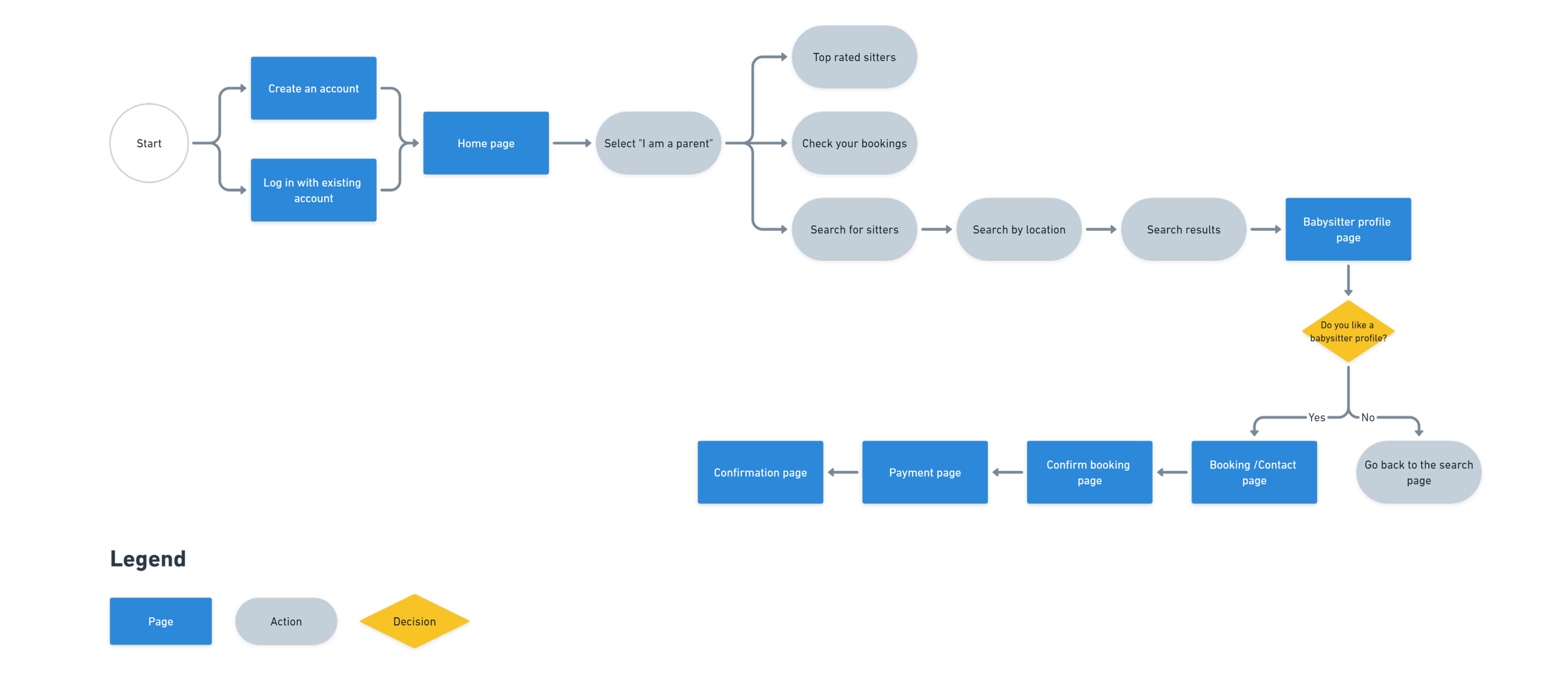
Information Architecture - Task Flow
After gathering research and defining the MVP, I began working on the main task flows. The main goal is to find a reliable babysitter. I wanted to make it convenient for users to find a babysitter and pay for services online
Task: find a babysitter for 2 hours on 04/11/2022 from 6 pm to 9 pm.

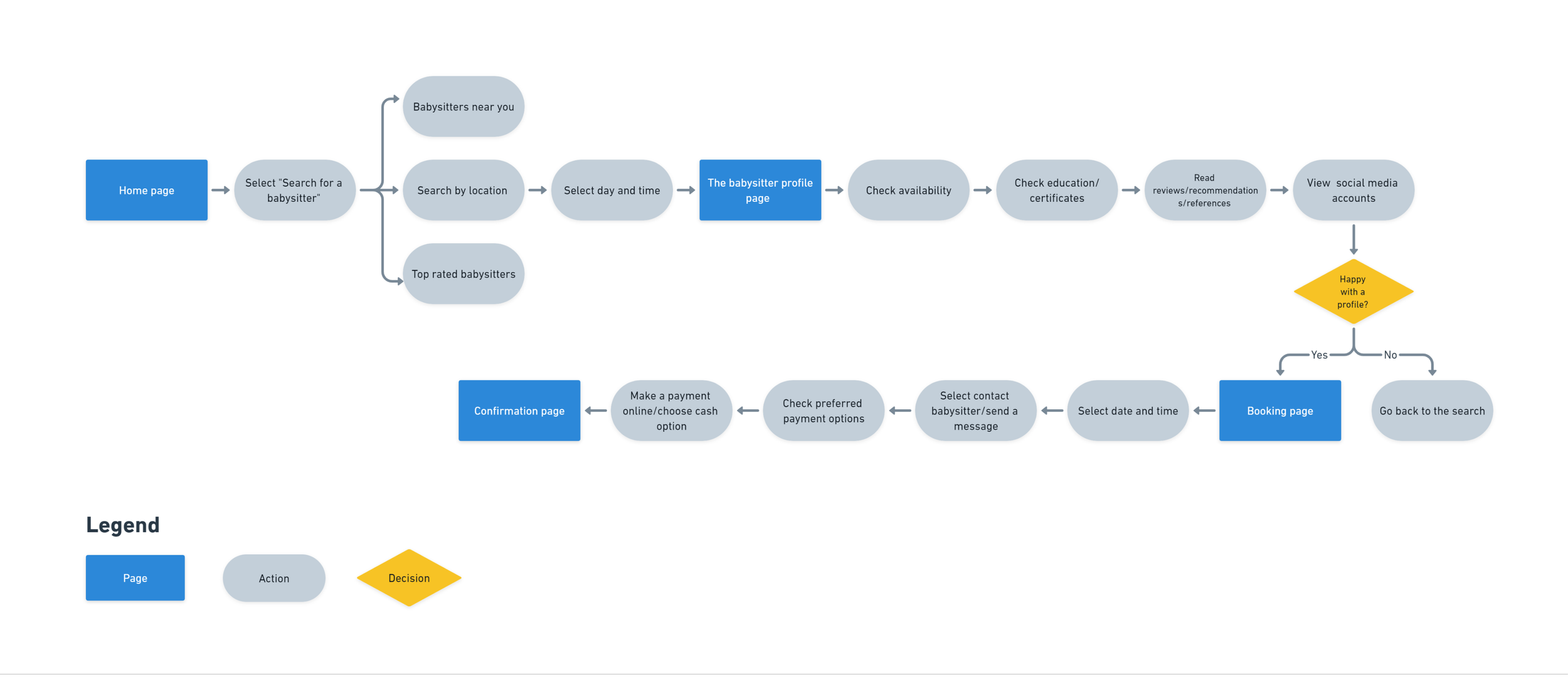
Information Architecture - User-Flow

IDEATE
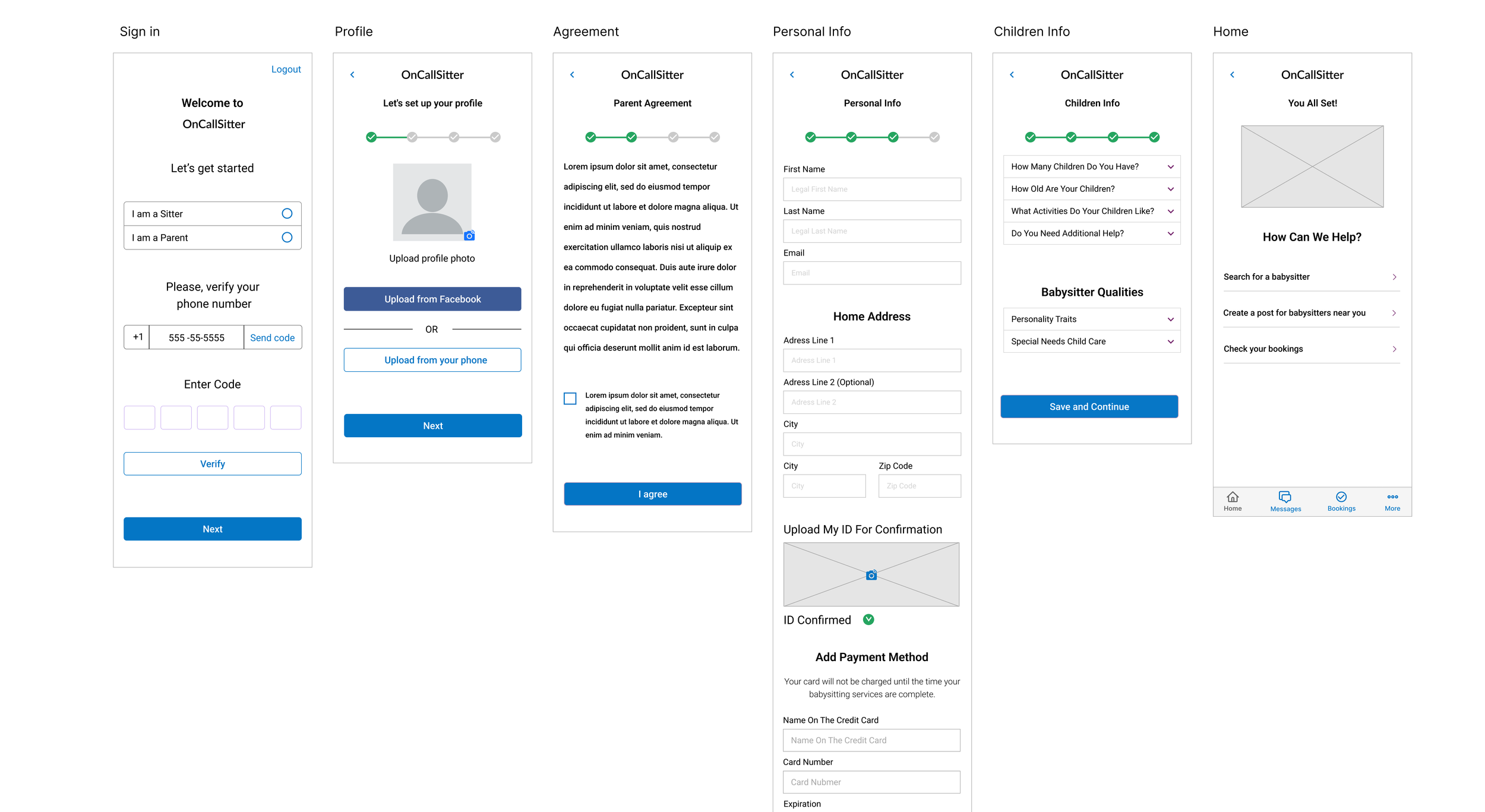
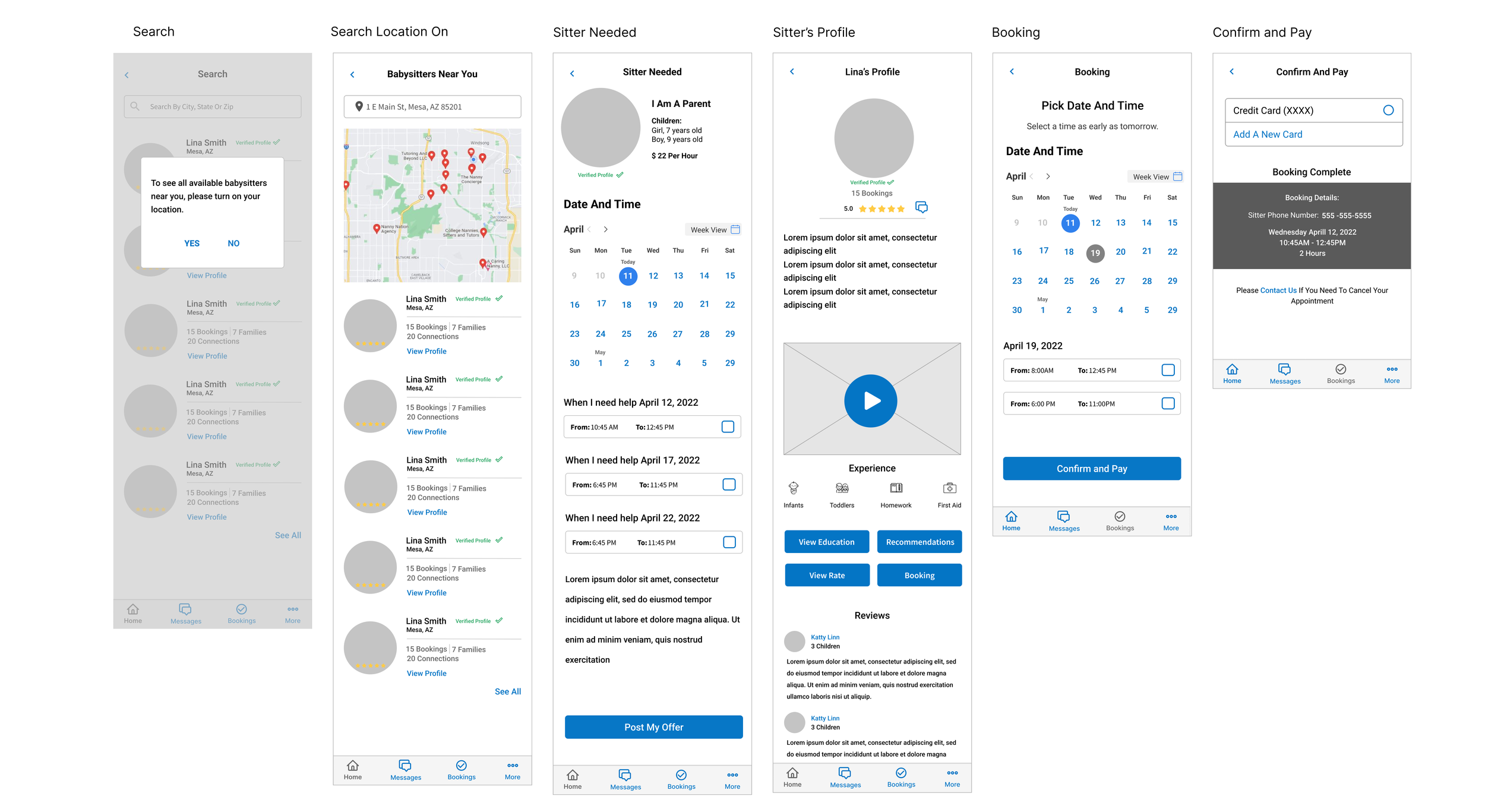
Low Fidelity Wireframes
Through multiple iterations of sketches, I was finally able to create my low-fidelity wireframes. It was essential to provide a simple process to search, select and pay for a sitter. OnCallSitter also had to provide an easy way for a parent to learn about each potential sitter. The wireframes for the OnCallSitter app include a summary of qualifications and a streamed short video biography of each sitter designed to give a parent the most important details about the person they would trust the most important in their life - children


PROTOTYPE
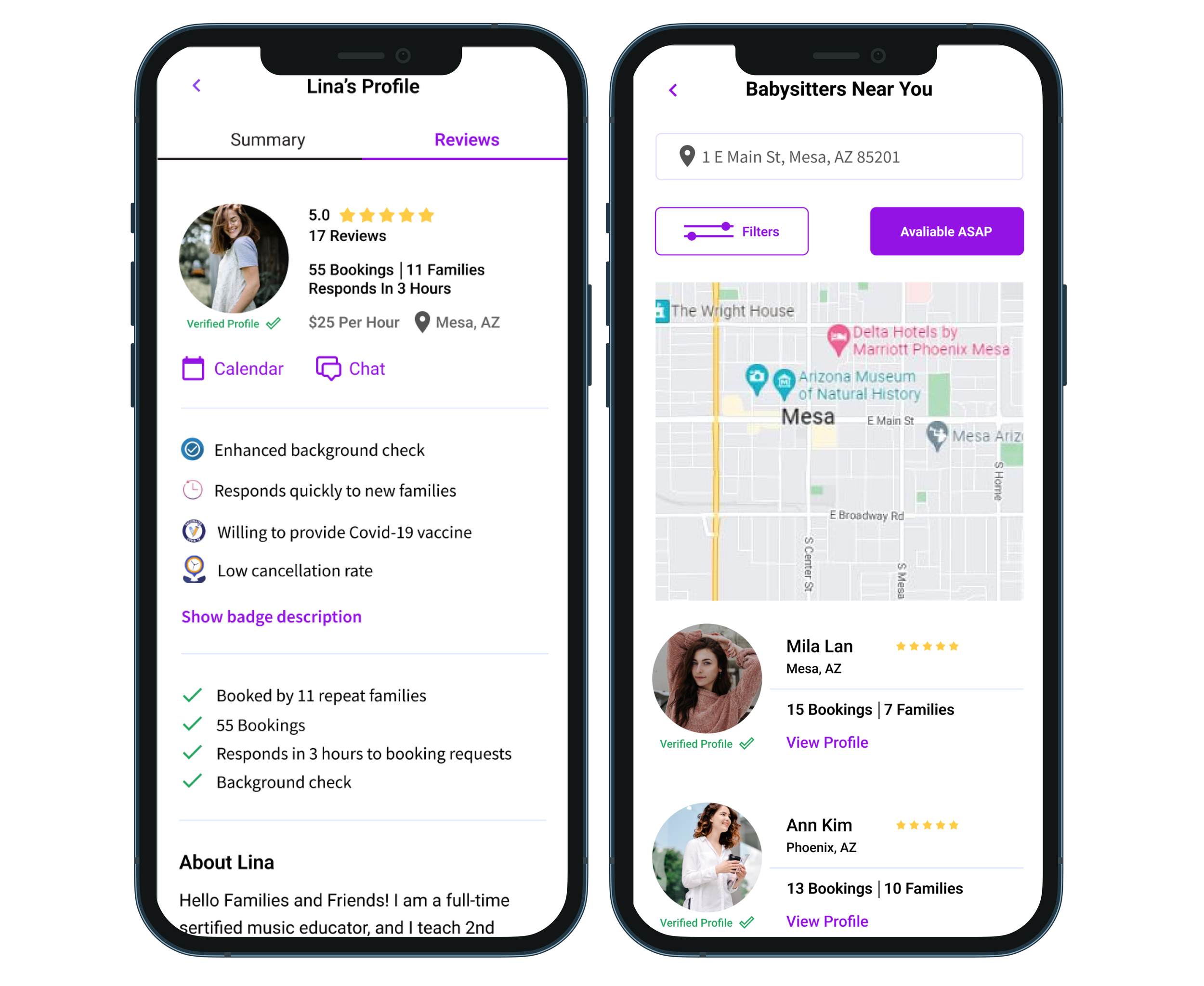
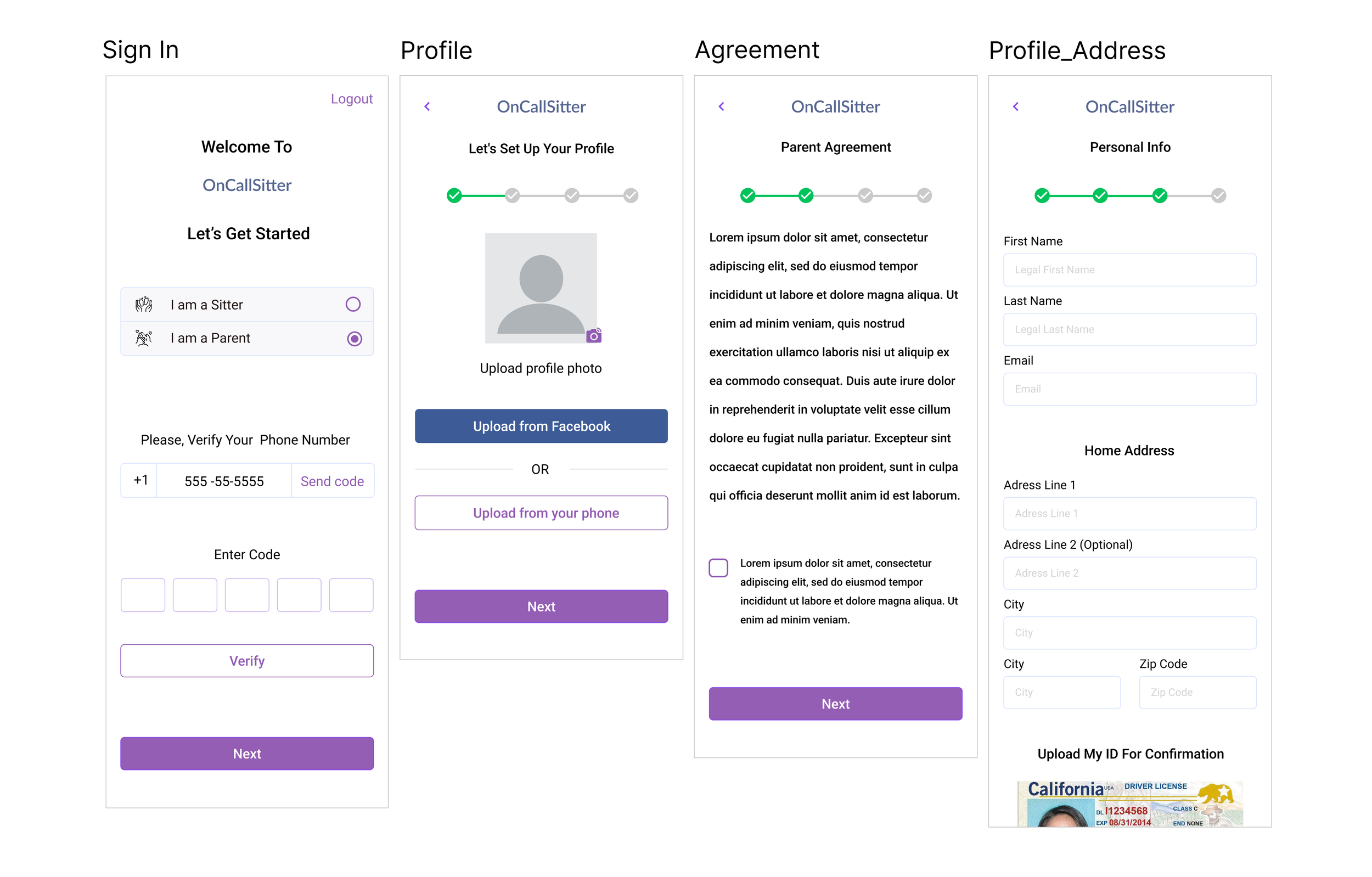
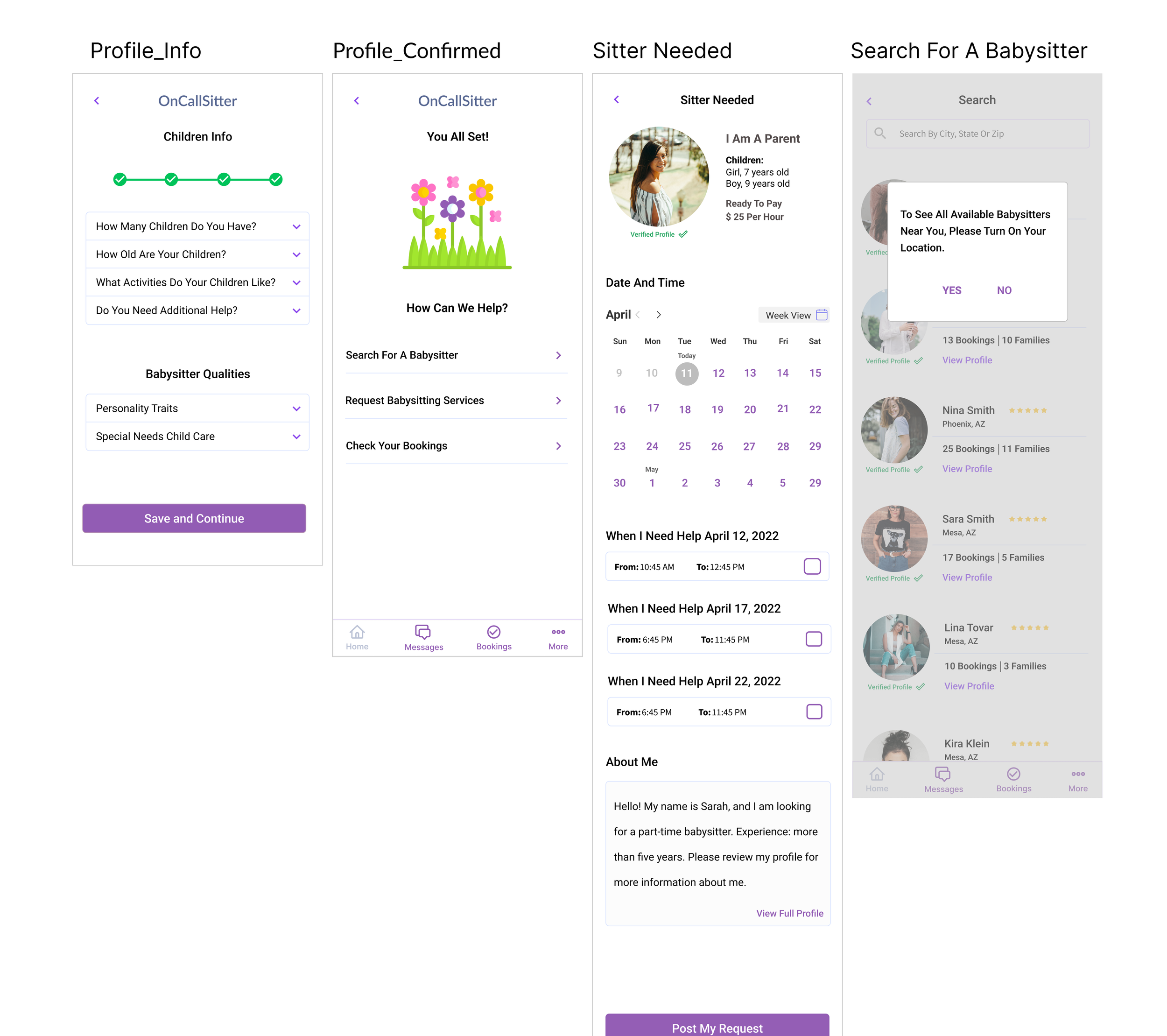
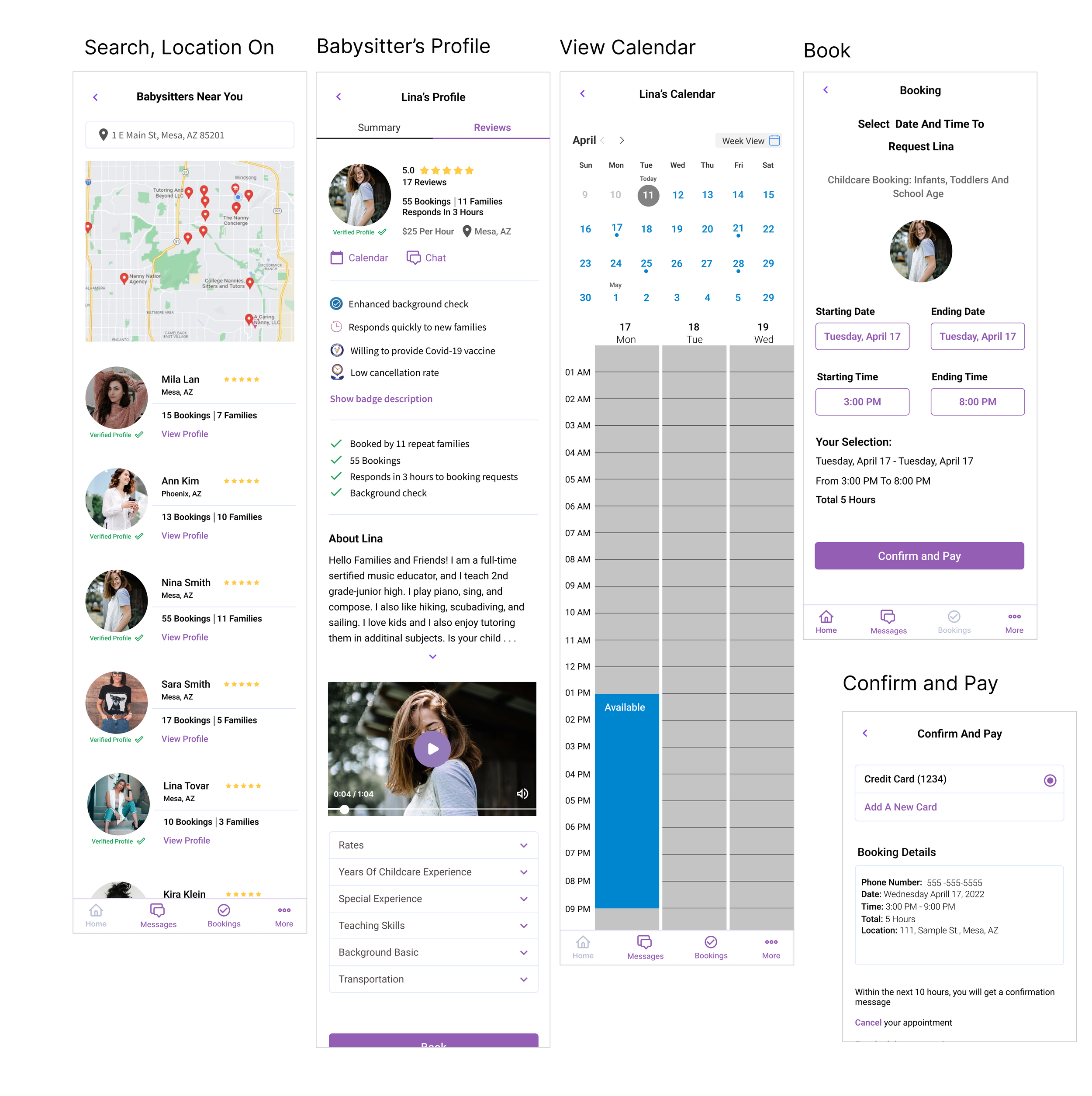
Based on my research and user interviews, I chose light purple and white colors. These colors are used to create a soothing feeling of love, care, and affection. I decided to use universal icons for the app. A user's understanding of an icon is based on previous experience. That's why it's always better to use familiar icons.
Set of high fidelity screens



USABILITY TESTING
Test Objectives:
Determine if users can complete tasks
Observe how users navigate the app
Identify pain points and frustrations
Methodology
In-Person: one-on-one testing using a laptop and Figma prototype
Remote: one-on-one testing with screen share and Figma prototype
Test Findings
The usability test was conducted with five users, 25 - 45 years old. Each participant was asked to complete the following task: browse the app and book babysitter services for 3 hours.
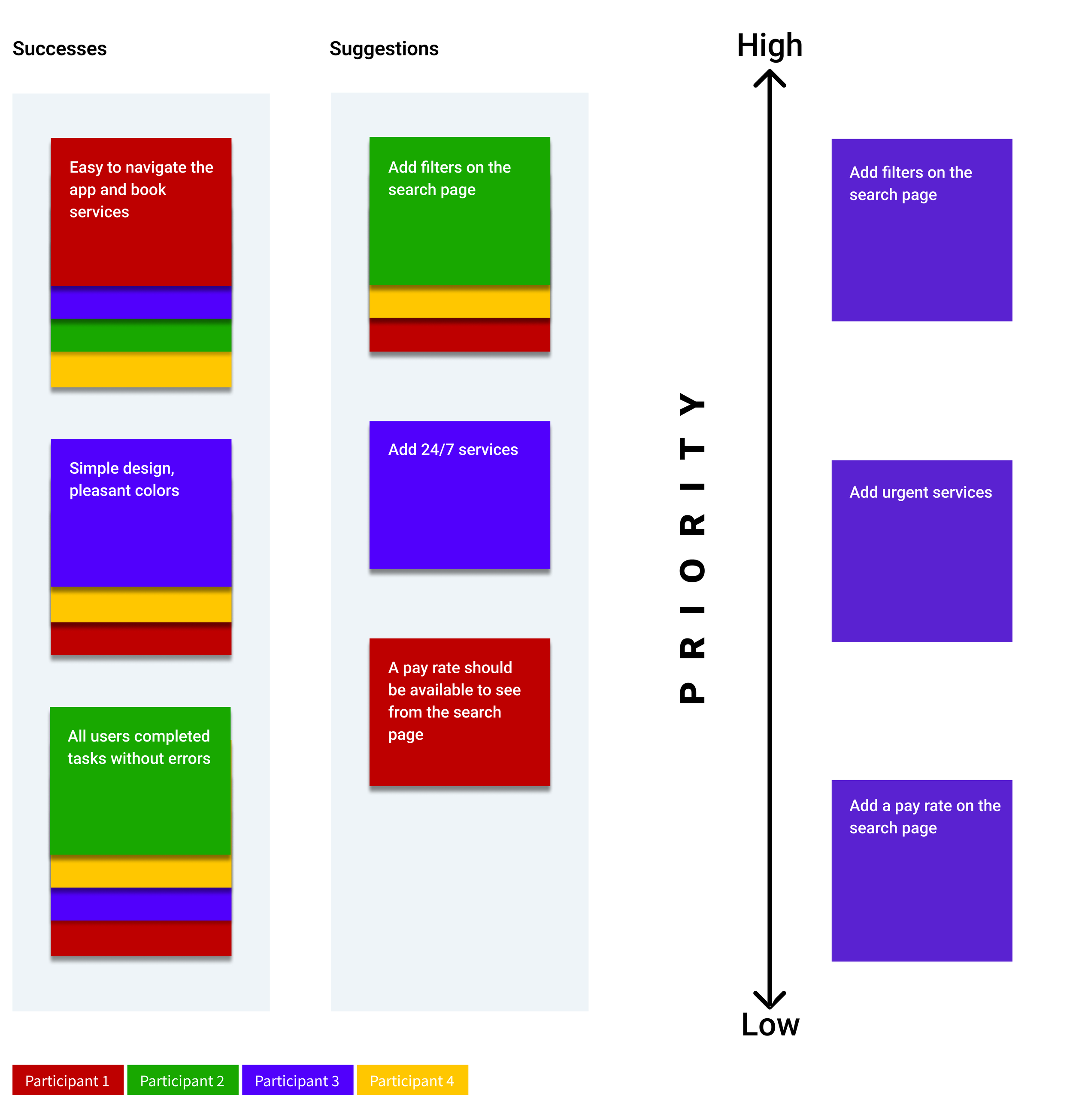
Participants were able to complete the task given with the limitation of the prototype. All 5 participants completed the task without errors. One participant didn't understand that the babysitter can also be booked through the calendar page.
The test showed that there are three high-priority tasks to be resolved. Some of the users' suggestions could be implemented in the future based on business needs and priorities
Three High Priority Tasks:
Add filters on the search page
Add available ASAP services
Add information about special requests on the sitter needed page (when parents request babysitter services).
Affinity Map - OnCallSitter

Priority Revisions
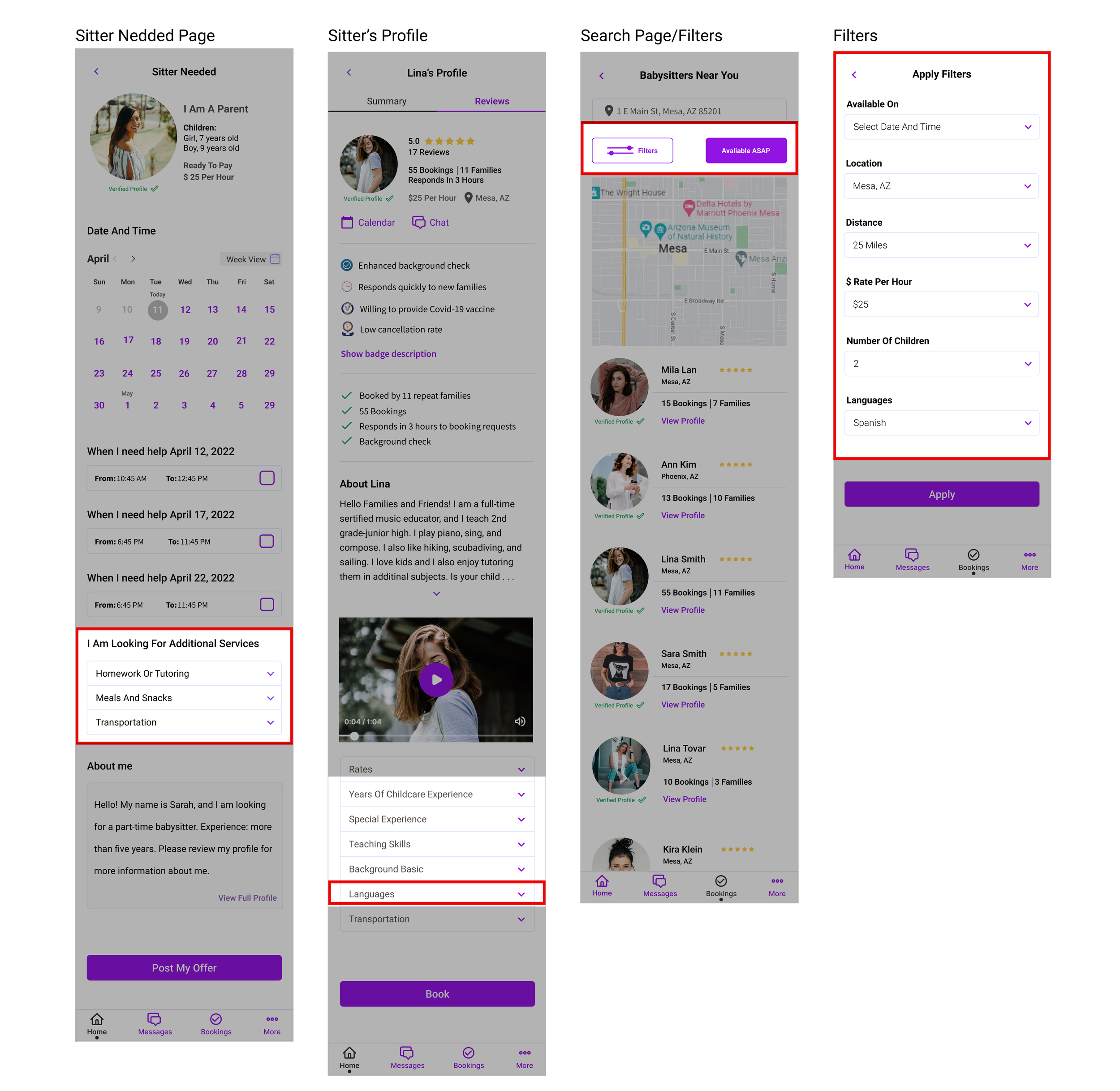
Revisions were made based on the usability test findings. Information added:
Filters: date/time, location, distance, rate per hour, number of children, languages
Available ASAP services
Special requests on the sitter needed page
Increased brightness of the primary color

Next Steps:
Conduct additional testing using a modified prototype
See if the modifications improve the user experience
Iterate based on the feedback
Export project to developers